- Date
LinkedIn Profile Picture Size & Background Guide 2026
Last updated: November 3, 2026 · By Andreas, Headshots.so
The correct LinkedIn profile picture size is at least 400 × 400 pixels according to LinkedIn Help, and you get the sharpest result with a square image around 800 × 800 pixels. LinkedIn crops to a circle, so keep your face centered. The same square file typically also works on résumé sites, Microsoft Teams and Gmail.
Quick answer
- LinkedIn: minimum 400 × 400 px (official), ideally about 800 × 800 px, JPG/PNG, max 8 MB.
- LinkedIn background (banner): recommended 1584 × 396 px.
- Teams/Microsoft 365: square photo; HD sizes typically go up to 648 × 648 px.
- Gmail/Google: square profile photo, JPG/PNG, max 5 MB – practical tip about 720 × 720 px.
- Indeed and résumé sites: no single public pixel spec – upload a sharp square headshot (same as LinkedIn).
- With Headshots.so you get 50+ sharp AI headshots, from $29 with a 100% satisfaction guarantee.
Contents
- What is the correct LinkedIn profile picture size?
- What size do résumé sites and Indeed use?
- Teams and Gmail: which pixels?
- Square vs circular crop – what should you watch for?
- Which background and crop work best at small sizes?
- How do you get a sharp photo that still looks good at 400 × 400?
- AI headshots vs cropping yourself
- FAQ: LinkedIn profile picture size
What is the correct LinkedIn profile picture size?
According to LinkedIn Help, your profile photo must be between 400 × 400 and 7680 × 4320 pixels, in JPG or PNG, and no larger than 8 MB. Anything under 400 × 400 is rejected or looks soft. For a sharp result, most people upload a square image around 800 × 800 pixels.
LinkedIn displays the profile photo as a circle. The corners disappear, so keep eyes, mouth and hair centered. A useful rule of thumb is that your face fills about 60% of the frame.
The background photo (banner) is different: LinkedIn recommends 1584 × 396 pixels. That is the wide strip across the top of your profile – not the profile picture itself.
Want more than size and crop? Also read how to get the perfect LinkedIn profile photo.
| Platform | Recommended / official size | Notes |
|---|---|---|
| LinkedIn profile picture | min. 400 × 400 px (ideally ~800 × 800) | Official min/max; circular crop; JPG/PNG max 8 MB |
| LinkedIn banner | 1584 × 396 px | Recommended background size – not the profile photo |
| Indeed / résumé sites | Square, sharp (same as LinkedIn) | No single public pixel spec; often shown small |
| Microsoft Teams / M365 | Square; HD up to 648 × 648 px | Shared photo across Teams, Outlook and more |
| Gmail / Google Account | Square; practical ~720 × 720 px | JPG/PNG max 5 MB; Google scales automatically |
LinkedIn numbers are from LinkedIn Help. Teams and Gmail figures draw on Microsoft Graph / common practice and Google Workspace requirements – labeled as typical/practical where there is no single hard upload size.
What size do résumé sites and Indeed use?
Most résumé and job sites do not publish a fixed pixel size the way LinkedIn does. In practice the photo appears as a small round or square thumbnail. The safest approach is to upload the same sharp square headshot you use on LinkedIn (about 800 × 800 px) so it stays clear when downscaled.
Avoid wide landscape shots and group photos. A single-person portrait with a calm background reads best when recruiters scroll quickly.

Teams and Gmail: which pixels?
Microsoft Teams (and the rest of Microsoft 365) uses one profile photo across Teams, Outlook and other apps. Microsoft’s HD sizes typically go up to 648 × 648 pixels. A square image at that size – or slightly larger that the service can downscale – stays sharp in chat and meetings. Gmail uses your Google Account picture. Requirements are JPG or PNG, max 5 MB. A square upload around 720 × 720 pixels is a practical rule of thumb so it looks crisp in the inbox and Google Chat.
Use the same headshot on LinkedIn, Teams and Gmail when you can. Consistency makes you easier to recognize across jobs, meetings and email.
Square vs circular crop – what should you watch for?
You almost always upload a square image. LinkedIn (and often Teams/Gmail) then shows it as a round avatar. So:
- Center the face – don’t shift it to one side
- Keep logos and text out of the corners
- Leave a little space above the head so the circle doesn’t clip the top
- Avoid ultra-tight crops where the ears already sit on the edge
Quick test: open the image, draw a circle inside the square, and check that eyes and smile stay centered in the circle.
Which background and crop work best at small sizes?
When the image shrinks to 400 × 400 or less, detail disappears. What survives is contrast, a clear face and a calm background.
- Background: light gray, beige or soft office blur
- Clothes: solid mid-tones (navy, gray, burgundy)
- Light: even light on the face without harsh under-eye shadows
- Crop: from mid-chest up, face about 60% of the frame

Need outfit tips that still work in a tiny thumbnail? See what to wear for headshots.
How do you get a sharp photo that still looks good at 400 × 400?
Start with more resolution than the minimum. An 800 × 800 image that is sharp at full size still holds up when LinkedIn shows it as a small circle.
- Take or choose a sharp portrait in good light
- Crop to a square with the face centered
- Export as high-quality JPG or PNG – under 8 MB for LinkedIn
- Upload, fine-tune LinkedIn’s crop, and check on mobile
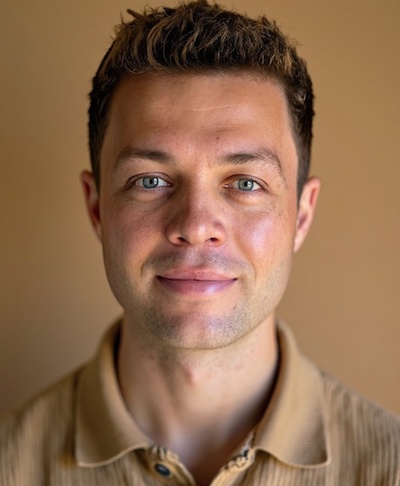
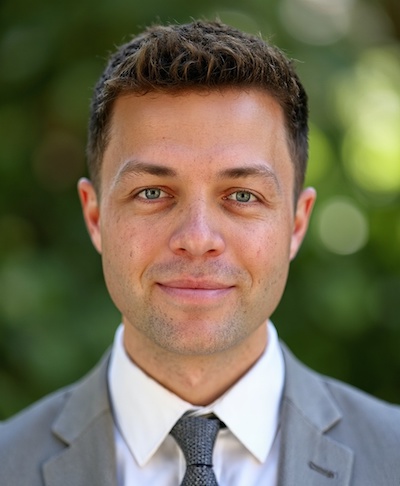
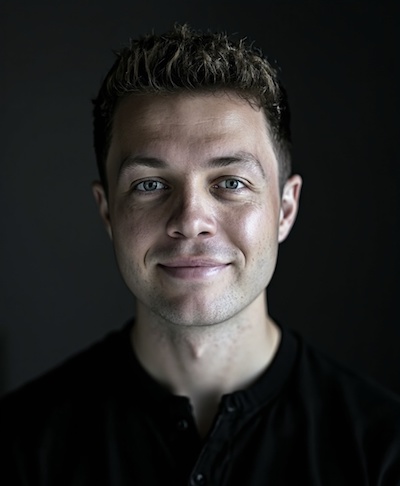
See AI headshot examples already cropped for a professional headshot frame.
AI headshots vs cropping yourself
You can crop an existing photo yourself. The hard part is often that the original is too small, too dark or taken at a bad angle. With AI headshots from Headshots.so you upload selfies and get 50+ sharp portraits in multiple outfits and backgrounds – ready for LinkedIn, résumé sites, Teams and Gmail.
| Self-crop | Headshots.so | |
|---|---|---|
| Price | free (if you already have a good photo) | from $29 |
| Time | 10–30 min per attempt | ready in 10–30 minutes |
| Resolution | depends on the original | sharp portraits ready for 400–800 px |
| Outfits / background | whatever you already have | multiple looks to choose from |
| Number of photos | 1 | 50+ headshots |
| Guarantee | – | 100% satisfaction guarantee |
Ready for a LinkedIn profile picture at the right size?
Create professional AI headshots for LinkedIn from $29. Love your headshots or get your money back.
Need matching photos for the whole team in the same crop? See corporate headshots for teams.
FAQ: LinkedIn profile picture size
What is the LinkedIn profile picture size in 2026?
LinkedIn requires at least 400 × 400 pixels (up to 7680 × 4320), JPG or PNG, max 8 MB. A square image around 800 × 800 pixels is the safe choice for a sharp result.
Does the LinkedIn profile picture need to be square?
Yes – upload a square image. LinkedIn displays it as a circle, so keep the face centered.
What is the difference between profile picture and banner?
The profile picture is your face (min. 400 × 400). The banner is the wide background at the top – LinkedIn recommends 1584 × 396 pixels.
Can I use the same photo on Teams, Gmail and résumé sites?
Yes. A sharp square headshot around 800 × 800 pixels typically covers LinkedIn, Teams, Gmail and most résumé uploads.
How much do AI headshots cost at Headshots.so?
Packages at Headshots.so start at $29, you get 50+ headshots, and there is a 100% satisfaction guarantee.