


Make your own passport photo – free

Take a photo with your phone, crop it to the 2×2 inch U.S. passport size with guides for the head, and print four passport photos on one ordinary 4×6 print. It runs right in your browser – no app, and your photo never leaves your phone.
- State Department size: 2×2 in with a 1–1⅜ in head
- 4 passport photos on one 4×6 print
- Free in your browser – no app, account or upload
Looking for a LinkedIn headshot instead? See how that differs →
Drop your photo here
or
JPG, PNG or WebP · your photo never leaves your phone or computer
Drag and zoom until the top of your head meets the upper line and your chin the lower line.
Quick check of your photo
The check is a guide and only looks at resolution, background and lighting. The State Department makes the final call when it reviews your application.
Order the sheet as an ordinary 4×6 print without cropping, on matte or glossy photo paper, and measure: each photo must be 2×2 inches.
U.S. passport photo requirements in 2026: size, background and glasses
A U.S. passport photo is 2 × 2 inches (51 × 51 mm), in color, taken in the last 6 months, with your head 1–1⅜ inches (25–35 mm) from the bottom of the chin to the top of the head. Face the camera directly with a neutral expression or natural smile, both eyes open and mouth closed, in front of a plain white or off-white background with no shadows. Glasses come off, and the photo must be the original with no filters or edits. The State Department reviews every photo when you apply.
See the State Department's passport photo requirements →
Last checked October 23, 2026 against the State Department's photo requirements and its guidance for uploading a digital photo for online renewal. Headshots.dk is not a government agency. The U.S. Department of State decides whether your photo is accepted.
Short answer: the State Department's rules
- Size
- 2 × 2 inches (51 × 51 mm), in color.
- Head
- 1–1⅜ inches (25–35 mm) from the bottom of the chin to the top of the head, centered, with head and shoulders in the frame. Hair may extend past the edges as long as the whole head is shown.
- Eyes
- Both eyes open and clearly visible, looking straight at the camera, with no hair across them.
- Background
- Plain white or off-white, free of shadows, texture, lines or objects. A white sheet over a colored wall works.
- Age of photo
- Taken in the last 6 months, and it must still look like you.
- Expression
- Face the camera directly without tilting your head. Neutral expression or a natural smile with the mouth closed – no teeth, no exaggerated expressions.
- Glasses
- Take them off – also sunglasses and tinted glasses, and do not rest them on your head. If you cannot remove them for medical reasons, include a signed note from your doctor.
- Hats and head coverings
- Take them off, unless worn daily for religious reasons or for medical reasons – then include a signed statement, keep your full face visible with no shadows, and use a one-color covering without patterns or small holes. No face coverings or medical masks.
- Clothing
- Everyday clothes. No uniforms, clothing that looks like a uniform, or camouflage, and no headphones or earpieces. Jewelry and facial piercings are fine as long as they do not hide your face.
- Print and quality
- High resolution, printed on matte or glossy photo-quality paper, with no printer dots, red eye, holes, creases or smudges. No photocopies, scans, filters or digital changes – submit the original photo.
How to take your own passport photo with your phone
-
1
Stand several feet in front of a plain white or off-white wall. Cover a colored wall with a white sheet.
-
2
Find even daylight from the front, for example by a window. Avoid flash, overhead lights and lights off to the side, so there are no shadows on your face or the wall.
-
3
Ask someone to take the photo at eye level, a few feet away – not a selfie with an outstretched arm. Set the camera to its highest quality.
-
4
Take off your glasses and any hat. Face the camera directly with a neutral expression or natural smile, mouth closed and both eyes open.
-
5
Crop the photo in the tool above so the top of your head and your chin meet the guide lines. Do not use filters or retouching.
-
6
Download the print sheet and order it as a 4×6 print on photo paper – at a pharmacy photo counter or an online photo service – then cut out the 2×2 inch photos.
Where to get a passport photo taken
The State Department lists three options: an acceptance facility that takes your photo when you apply, any company that offers photo services, or a friend or family member. Fees vary from place to place, and the requirements are the same everywhere – so the cheapest option is to take the photo yourself and print four passport photos on one 4×6 print.
Pharmacies and photo counters
Many pharmacies, big-box stores and photo shops take passport photos in minutes. Prices vary, so check before you go, and make sure you get two printed 2×2 inch photos.
Acceptance facilities
Some post offices and other acceptance facilities take your photo when you apply in person for a fee. Use the State Department's facility search to find one that offers photos.
Online services
Online passport photo services check and print your photo for you. They are convenient, but you pay for something you can do yourself in your browser.
Yourself, with your phone
Free with the tool here – you only pay for one 4×6 print, and you get four passport photos. Print on matte or glossy photo paper, never on plain paper.
Renewing online? Upload a digital photo instead
If you renew your passport online, you upload a digital photo rather than mailing a print. The State Department asks for a JPG, JPEG, PNG, HEIC or HEIF file between 54 KB and 10 MB, in color and taken in the last 6 months, with the bottom of the frame at the edge of your shoulders. You can crop the photo in the application, and the tool there checks the basic requirements. Do not use filters, and do not photograph or scan a printed photo. Use the single-photo download from the tool above, or upload the original from your phone.
Source: the State Department's guidance on uploading a digital photo.
The common mistakes that get a passport photo rejected
- Head too close or too far away, so it is not 1–1⅜ inches
- Shadows on the face or the background
- Showing teeth, or an exaggerated expression
- Head tilted or not facing the camera directly
- Wearing glasses, a hat or headphones
- Colored, textured or cluttered background
- Blurry, grainy, pixelated or over- and underexposed photo
- Filters, retouching or a photo older than 6 months
How to take a passport photo of a baby or toddler
The same rules apply to children, with a few allowances from the State Department: it is okay if a baby's eyes are not entirely open, but all other children must have their eyes open. No other person can be in the photo. Here is how to get it right:
- Lay your baby on their back on a plain white or off-white sheet, or cover a car seat with the sheet and place your child in it.
- Use daylight from a window – no flash and no shadows on the child's face.
- Keep hands, pacifiers, toys and anyone else out of the frame.
- The child must face the camera with a neutral expression and the full face visible – take many photos and pick the best.
- Crop in the tool above – the head guides apply to babies too.
Need a headshot for LinkedIn or work too?
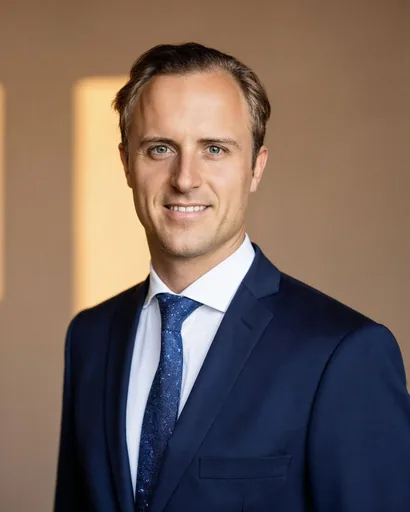
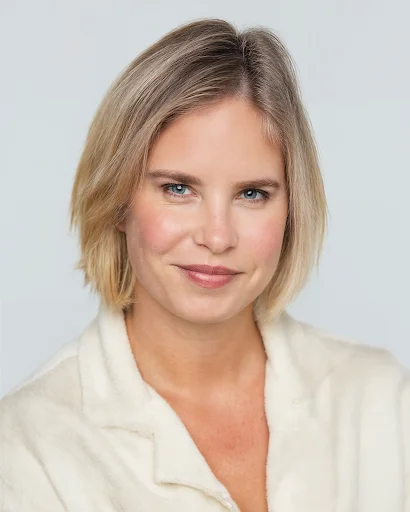
A U.S. passport photo must be the original, unedited photo – no filters, retouching or AI. For LinkedIn, your CV and your company website, though, the rules are the opposite: there, a polished, professional portrait wins. Upload a few selfies and get studio-quality AI headshots in about an hour.
Passport photo questions

Create portraits of yourself with our AI Developed in Denmark


Headshots ApS · CVR 46801024 · Nørrebrogade 12A, 2., 2200 København N