- Date
How to get the perfect LinkedIn profile photo in 2026
A strong LinkedIn profile photo in 2026 looks current, well lit, and approachable — not like a cropped vacation selfie or a ten-year-old graduation shot. Recruiters and clients decide in seconds whether to click your profile, so treat the photo as your digital handshake.
Networking, hiring, and deal flow still start on LinkedIn. When someone lands on your profile, the image is often what makes them stay or bounce. Below is what works now, how AI headshots fit in, and how to get a usable set from Headshots.so in about 15 minutes.
What makes a LinkedIn profile photo good in 2026?
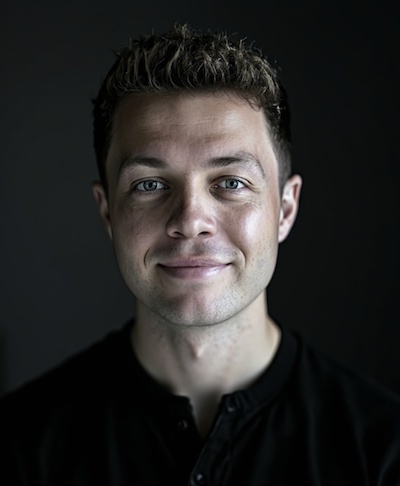
A good LinkedIn photo looks like you today: clear face, soft natural smile or calm expression, even light, and a simple background that does not compete with you. Update it when your look or role changes — an outdated portrait quietly undercuts trust even when your experience is strong.
- Face sharp and centered; eyes visible
- Light clothing and background that fit your industry (more formal in finance/law, slightly softer in tech/creative)
- No sunglasses, heavy filters, or group crops
- Recent enough that colleagues would recognize you at a meeting
Photographer vs AI headshots — which should you choose?
Book a photographer when you need directed branding or press-level control. Choose AI headshots when you need speed, lower cost, and multiple usable options for LinkedIn, CV, and internal profiles. Many professionals use AI for LinkedIn refresh cycles and keep a studio shoot for major brand moments.
On Headshots.so you upload about 10 selfies, pick styles, and receive dozens of portraits — typically from about $29, ready in around 15 minutes. That flexibility matters: one look for LinkedIn, another for your resume, another for a company page.
How to get AI LinkedIn headshots that look natural
Natural results come from good inputs: varied lighting, clear face shots, and recent photos that look like you. Avoid group shots, extreme angles, and heavy beauty filters. Then pick the output that matches your industry tone rather than the most dramatic edit.
- Upload ~10 clear selfies (different light and angles)
- Choose styles and backgrounds that fit your role
- Download favorites and use the same face consistently across LinkedIn and your CV
Teams that need matching backgrounds can use Headshots for teams.
FAQ
Do I need a photo on LinkedIn? Yes for most careers. Profiles with a clear professional photo tend to get more views and messages than blank or casual images.
How often should I update my LinkedIn photo? Every 2–3 years, or sooner if your appearance or role changes. Your photo should match how you show up today.
Can I use the same photo on LinkedIn and my CV? Yes — and you should. Consistency builds recognition across applications and networking.
What background works best? Neutral or softly lit backgrounds keep focus on your face and read as professional in most industries.
Can an AI headshot look natural? Yes, when you start with strong selfies. You get studio-like options without booking a session — faster and usually far cheaper.
Ready for a sharper LinkedIn photo?
Skip the awkward studio small talk. Create professional headshots on Headshots.so from home in about 15 minutes, then pick the portrait that finally matches how you want to show up online.